

Niche & affiliate site owners
Run ten sites like one. Topic clusters, review pages and price updates for every site, published on a schedule while you sleep.
Buy now →Tell ContentBeast about your website. It maps your topics, researches the keywords, writes every article, checks the quality and publishes on your schedule. Your sites, keys and content stay on your machine — no mandatory subscription.
Free to try · first 2 articles on us · no card required
Ready to skip the trial? Get lifetime access from $199 →

1 Pick a topic
2 It researches, writes, checks
3 Published on schedule
The problem
Topic research, keyword research, briefs, writing, editing, images, internal links, publishing: every article is a dozen jobs. Freelancers are slow and expensive, and generic AI tools write one-off text that ranks nowhere. ContentBeast runs the whole chain, for every site you own, while you do something else.
Buy now →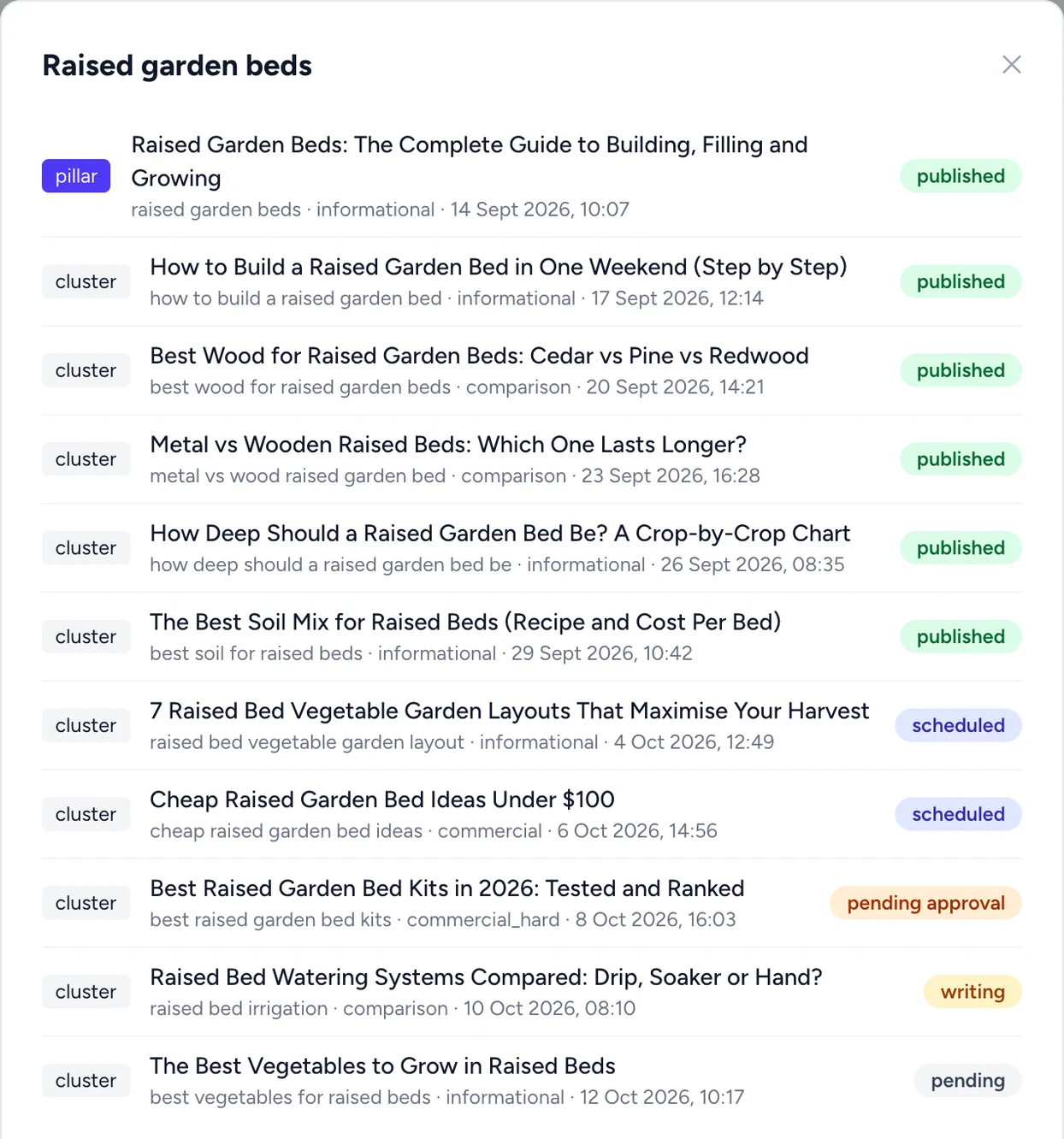
Keyword research
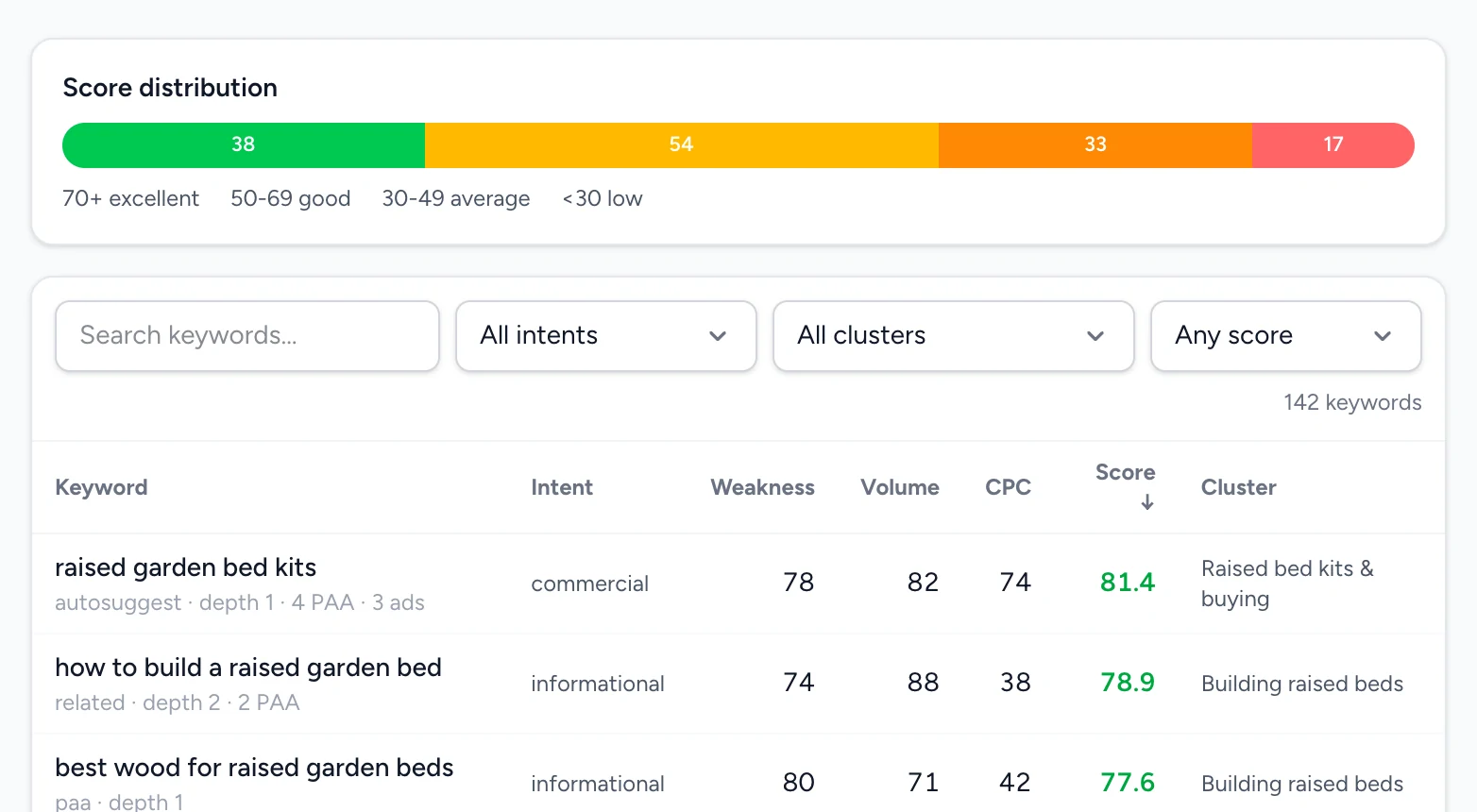
Type a topic and ContentBeast discovers keyword ideas, looks at who ranks today (with a Serper key) and scores every keyword on volume, competition and fit. Related keywords are clustered together, and the best ones go straight into your plan.
Buy now →Autopublish
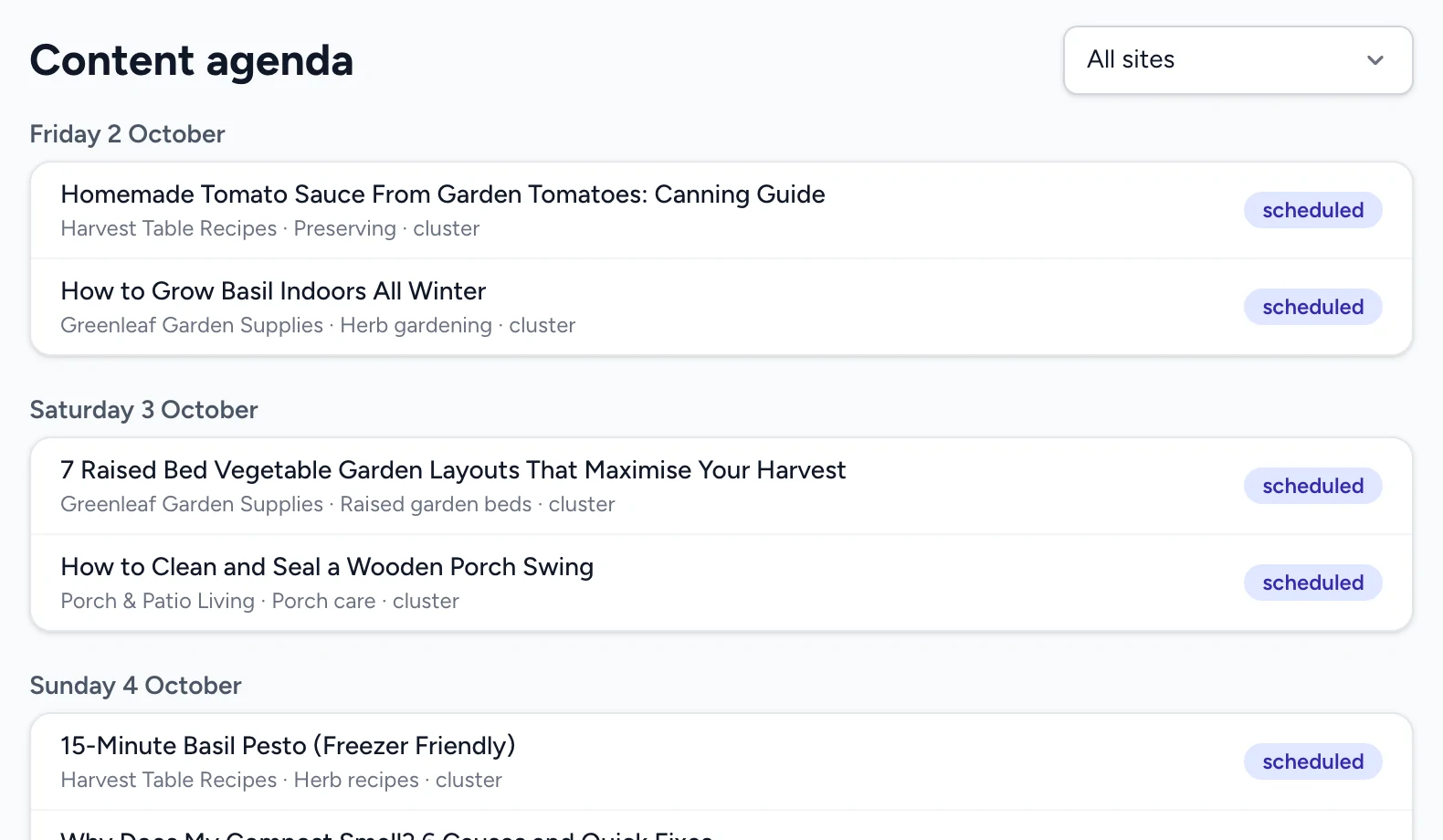
ContentBeast publishes to WordPress through the ContentBeast plugin, to Shopify and Laravel sites, or to any site that accepts a webhook. Articles are written days ahead and released on the dates in your agenda, with categories, internal links and images already in place. You decide how much the AI may do: draft only, smart, or full autopilot.
Functionalities
One app does the whole job: plan, research, write, review, illustrate, link and publish. No stitching together five tools and three freelancers.
Buy now →Your keys, your data
What do you pay for SEO content tools or writers each month?
Who it's for
Run ten sites like one. Topic clusters, review pages and price updates for every site, published on a schedule while you sleep.
Buy now →One license, all your clients' sites. Each site gets its own tone, strategy and categories. You review, ContentBeast does the writing.
Buy now →Keep your blog and product pages alive without a content team: consistent articles in your brand voice, in as many languages as you sell in.
Buy now →Pricing
Pay once. Every plan includes every feature; plans differ in articles per month.
Optional · after the first year
Every license includes 1 year of updates. After that your version keeps working, and you can subscribe to keep getting new versions.
Add-on · monthly
Optional. Choose the publish date and time of every article. Without it you publish with one click; planning and writing ahead stay free. The price depends on how many websites you use it for.
Not sure yet? Download free — 2 full articles, no card required.
FAQ
A desktop app (macOS, Windows, Linux) that runs a complete SEO content system for your websites: it plans topic clusters, researches keywords, writes the articles, checks their quality, adds images and internal links, and publishes them on a schedule. Everything runs on your computer; only the AI calls go to the provider you choose.
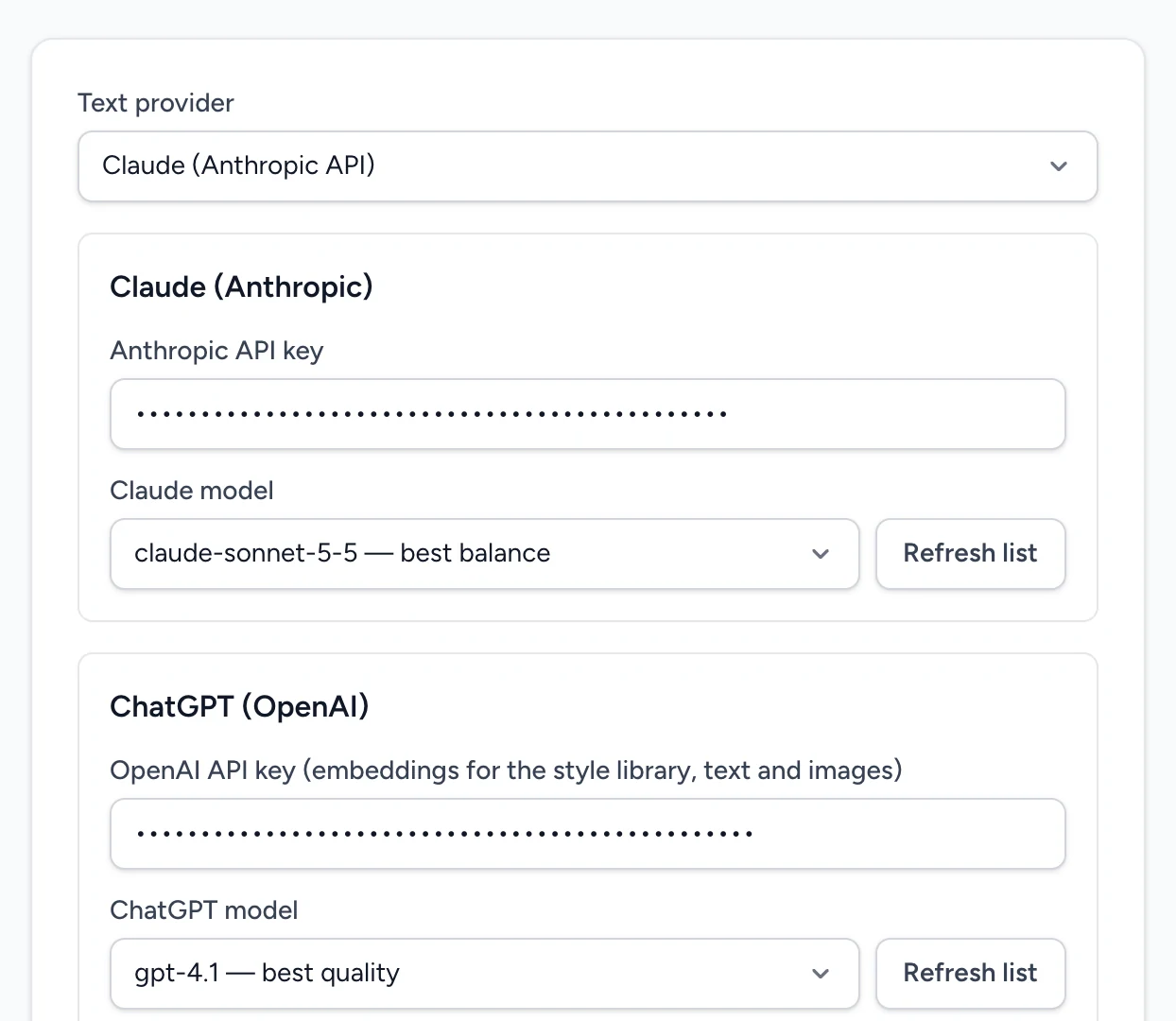
Yes: you connect your own Claude (Anthropic) or ChatGPT (OpenAI) API key in Settings. You pay that provider directly for what you use, usually a few cents per article, and ContentBeast takes no cut. Your keys are stored only on your computer. Pictures are made with an OpenAI key; free stock photos from Pixabay are tried first.
WordPress (with the ContentBeast plugin), Shopify and Laravel sites, and anything else that can receive a webhook. You can connect as many sites as you own, each with its own tone, strategy and categories.
Every article goes through a pipeline: research, outline, writing, an SEO and E-E-A-T review, a tailored rewrite, sources and a final polish, followed by seven quality checks. Articles below your quality threshold are rewritten automatically. You choose how much the AI decides: First draft (you review everything), Smart, or Autopilot.
Yes. In First draft mode nothing is approved or published without you. You can edit titles, keywords and instructions of every brief, reject an article with feedback and have it rewritten, and see exactly which pipeline steps ran.
Yes. Keyword discovery, search volume, competition, SERP analysis (with a Serper key) and an opportunity score, plus clustering of related keywords. ContentBeast also keeps a keyword registry so two of your articles never fight for the same keyword.
Articles can be written in 26 languages, and published articles can be translated automatically to other sites. The app itself is available in English, Dutch and Spanish.
In a local database on your computer: sites, articles, keywords and API keys. We never receive your content. The text needed to write an article is sent directly from your computer to your AI provider under their terms.
macOS 13+ (Apple silicon or Intel), Windows 10/11 or Linux (64-bit, AppImage or .deb). Because the AI runs in the cloud under your own key, any modern computer is fast enough.
Yes. You pay once and keep the version you bought forever. Every license includes one year of updates; after that you can optionally subscribe to Updates & Support ($79 per year) to keep receiving new versions and priority email support. No required monthly fees from us. Your AI provider bills you for usage.
Yes, forever. Your license never expires and the version you have keeps working. The optional Updates & Support subscription only adds new app versions released after your first year, plus priority email support. It renews yearly, you can cancel any time, and you can subscribe whenever you like by entering your license key at checkout.
It is an optional add-on. Without it you publish an article with one click, and planning and writing ahead stay free. With it you choose the date and time for every article: WordPress publishes it by itself at that moment, even when your computer is off; for other sites ContentBeast sends it at that time while the app is open. The plan you pick decides for how many websites you can use the scheduler (3, 10 or unlimited). It is billed monthly, has its own key (License → Post Scheduler in the app) and you can cancel any time.
Yes. Deactivate it on the old machine in Settings and activate it on the new one.
Every plan includes every feature and one computer. The plans differ only in how many articles you can generate per month: Solo 50, Studio 150, Team unlimited. The count starts again at zero on the first day of every calendar month (UTC). Your AI provider's cost (your own Claude or ChatGPT key) is separate: they bill you directly, usually a few cents per article.
First two articles are free. No card, no mandatory subscription, your data stays on your computer.
Mac, Windows & Linux · no card to try
Learning loop
It gets better with every article.
Connect Search Console and Google Analytics and see clicks, impressions and revenue per article. ContentBeast learns from weak scores and from your feedback: it turns them into writing rules for the next article and shows you whether they actually helped.
- Search Console
- Google Analytics
- ROI per article
- Learned rules
- Prompt suggestions
- Rollback
Buy now →